
Thumb
Thumb

Revolutionary WORD document generator

Do you have to produce, again and again, documents with a similar structure but different data - like standard contracts, monthly reports, approvals and summaries...?

With DocsRobot you can produce such recurring documents quickly, without errors, and without using WORD at all, from organized electronic forms, so that their information is stored as fields in a central database, with options for tabular display, simple locating, report generation, etc.

How does the document generator help my organization?

Your documents become information, and information is power! DocsRobot first collects information and then turns it into a document, and this information can be put to many uses (searches, reports, tabular views, a document summary in an electronic form…) | Preventing risks and mishaps – instead of “replacing” values in an old, outdated document, enter them in an organized, orderly form, and create the complex document in a click – using an up-to-date template | Time savings – first of all, the document-creation process is much faster when the information is entered in a concise, organized form, and not in the document itself! Beyond that: fast locating through division into categories and search mechanisms based on the data in the fields, quickly grasping the essence of the document by viewing a concise form or even from the alternating tabular views on the main screen, and more…

How do you activate the magic of the "document generator"?

Step 1 (one-time) – Preparing the document template: take a Word file you have used until now, and replace its “changing content” with textual placeholders – “I, {{employee_name}}, hereby declare that…” | Step 2 (one-time): Preparing a matching electronic form (with the form builder) – for each “placeholder” you created in the document – create a matching “field” (for example – a text field named “employee name”) | From now on – create documents of this type again and again easily, without using Word! Fill in data in the form’s fields and in one click – you have a document…

Document examples from various fields

General business management: • Price quotes | • Order confirmations | • Standard agreements | • A periodic summary report to the client
Construction, installations, maintenance: • An on-site supervision/inspection report (an audit document with fixed sections) | • A system handover approval to the client (including both parties’ signatures) | • A product file for installation (information on components, technical specifications, operating instructions)
Consulting, professional guidance: • A meeting report/advisory memo (summary, recommendations, next steps) | • A compliance/professional review report (a template with fixed sections and varying assessments)

The main advantages of DocsRobot

Yes, you can create WORD documents without opening WORD! Even long and complex documents, quickly… | • The documents are created from entering values in fields – diverse mechanisms enable extracting great value from this information, which doesn’t exist in the world of documents – alternating tabular views of concise information, advanced queries, Excel reports… | • An experienced, affordable cloud service | • Intuitive and easy to use – ready for immediate implementation | • Well-designed, organized forms that are simple to fill in, including support for display on a mobile phone | • A simple and fast DIY system to set up | • Mechanisms for building forms with advanced capabilities – defining mandatory and hidden fields, displaying calculation results using formulas…

How does it help my organization?


Your documents become information, and information is power!

When your documents sit in a folder or a binder, they contribute nothing. DocsRobot first collects information and then turns it into a document – and information is power:

  • The information is stored on a central server, organized into chapters and fields, classified into categories, and accessible to those authorized.
  • Each category and form type has its own main screen, which enables fast navigation between items and immediate display of the columns relevant to the item type (without needing to “open” each item separately to see the content you need)
  • You can also locate records easily through a quick search, and by building advanced queries
  • The record view screen displays the document’s essential data, concisely and in an organized way; no need to open the document, flip through its pages, and try to decipher complex paragraphs…
  • To each document you can attach alerts, additional related documents, permissions, links to other records, statuses, logs,…

Preventing risks and mishaps on matters of importance

Repeatedly creating recurring documents, which is an important business activity (otherwise you’d just send an email), is a complex operation that also carries risks. DocsRobot makes this operation simple and prevents its risks:

  • When you create documents again and again with a similar structure but changing content, you have to take a “template” and add/replace content in it – for example, in a price quote you need to replace the date, the products in the offer, maybe even old prices with new ones.
  • This operation always carries the risk of not being “orderly” – you have to hunt for the places where new content must be entered/replaced with updated content. You might miss essential details or accidentally leave sensitive old content in place (someone else’s details, an out-of-date price…)
  • Another risk: you might mistakenly use an old, outdated document, and thereby lose the knowledge you’ve accumulated.
  • Another risk: editing a Word document is not simple – it’s very easy to ruin a design you invested a lot in, especially if you let inexperienced employees do it, including accidentally deleting important paragraphs!

DocsRobot prevents all these risks through the separation between the data and the document: you enter the data in an organized, orderly electronic form, with no omissions, with advanced data validation, all the fields you need but only them, etc… Then, at the click of a button, and without running Word at all – you produce the document with all its pages and all its design!


Time savings

Managing many recurring documents is an activity that wastes a lot of your time. Better to save it for the things that really matter…

  • First of all, the document-creation process is much faster when the information is entered in a concise, organized form, and not in the document itself!
  • Without DocsRobot, you have to search each time for the latest up-to-date document in order to create a new, similar one. In DocsRobot – every document you create is always from the most up-to-date template, and if something needs to change in future documents – you simply load the latest template into the system once…
  • Since the documents are created from information fields, you can find them using “queries” that you could never run on a folder of documents, such as: “all the contracts signed in the last six months with client A”
  • Since the documents are created from information fields, you can quickly grasp their essence without opening them and flipping through all 30 of their pages – you simply open their information record from the electronic form – and get a clear, organized summary.
  • You don’t even have to open an information record to understand what’s written in the form – the main screen offers alternating tabular views, to see the information quickly
  • The category tree on the main screen lets you find documents quickly by their type. You can also set a certain document type to appear in several categories at once, and reach it “from different directions”…

How do you activate the magic of the "document generator"?


Step 1 (one-time) - Preparing the document template: a Word file with placeholders

Creating the document template is a one-time, simple operation:

  • Choose a Word document from the past, of the same type you want to create again and again using the system
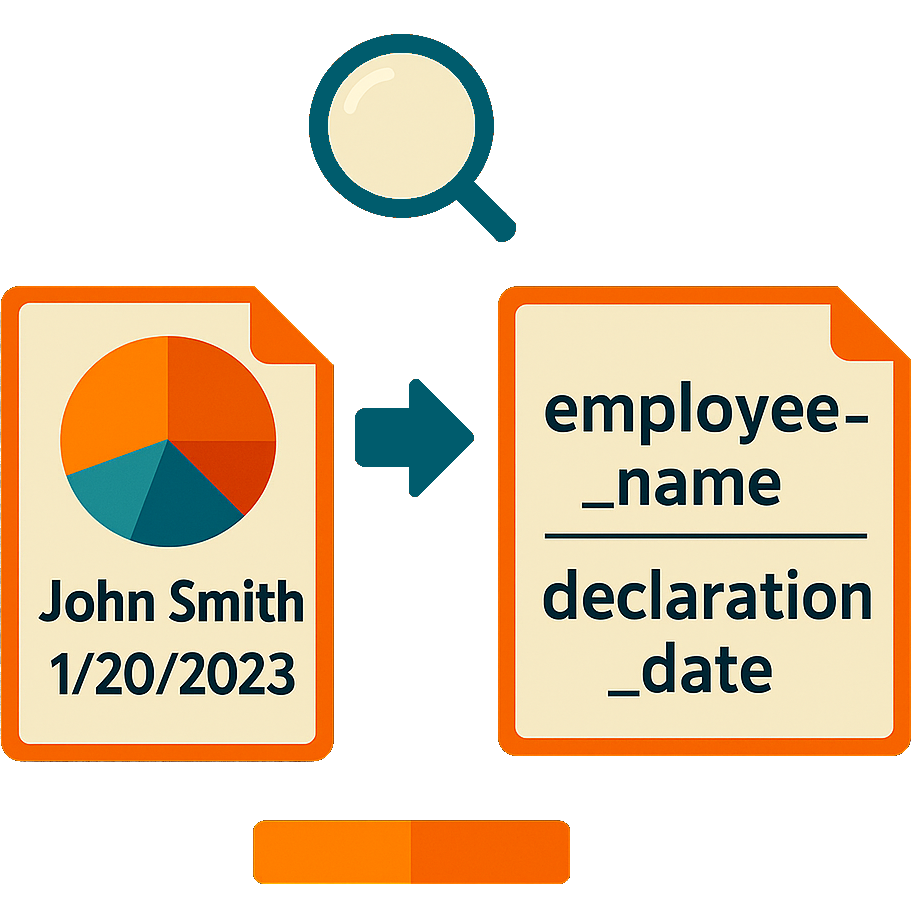
  • Find in the document all the text segments to be replaced – that is, those that need to change each time you create a new document, and replace them with textual “placeholders” with a suitable name. For example, if it says “I, David Cohen, hereby declare that“, replace the text with “I, {{employee_name}}, hereby declare that“…
  • Upload the template document to the system and give it a name – say “Employee health declaration”…

Step 2 (one-time): Preparing a matching electronic form (with the form builder)

Use the form builder to create an electronic form matching the template document: this too is a simple and intuitive one-time operation:

  • Create a new form. When its editor opens – give it a name matching that of the template document (for example “Employee health declaration”)
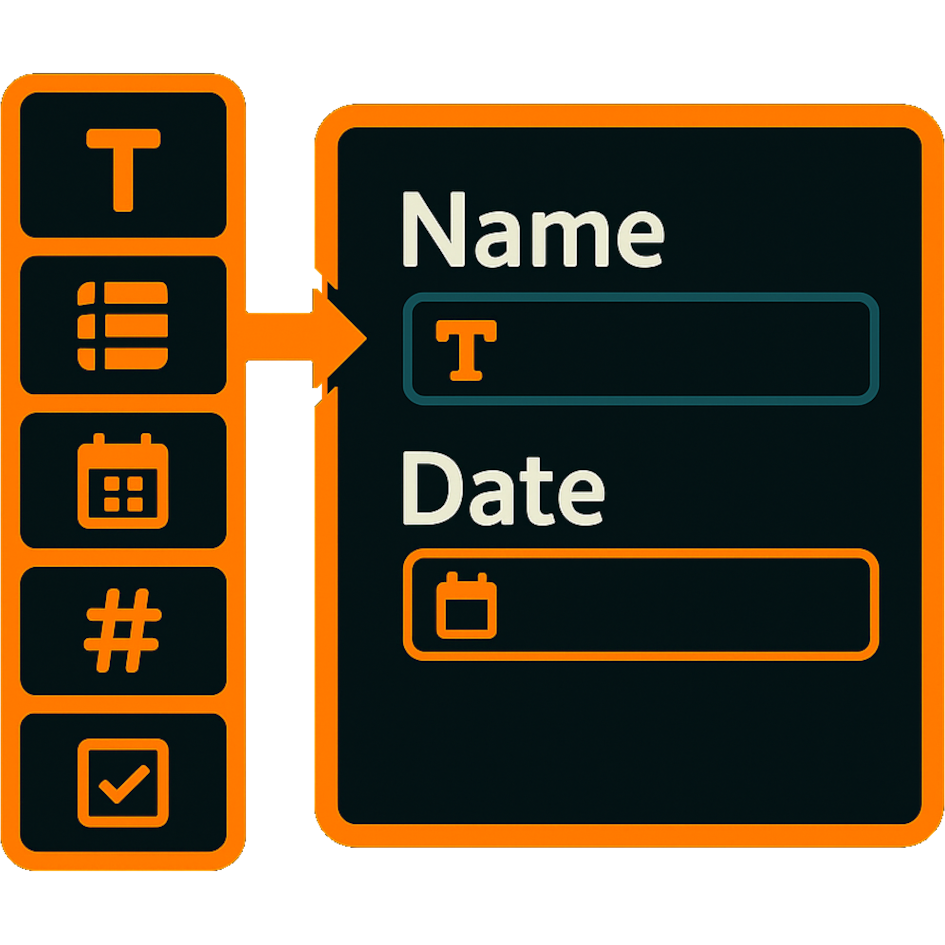
  • Inside the form, for each “placeholder” you created in the document (such as “{{employee_name}}”) – create a matching “field”: drag in an “input control” of a suitable type (for example – a “plain text” control), move it to the right place and set its size. Give the control a name that matches the “placeholder” – for example: “employee_name”. If needed – set values for additional control properties, such as “required?”, “default value”, etc.
  • Connect the template document you uploaded to the form.
  • Save, and go out to the main screen; a new menu has appeared whose name matches the form type – “Employee health declaration”.
  • The “form builder” has many advanced capabilities, which you can learn about later – dividing into chapters (including using shared chapters), defining categories and statuses, adding tables, etc…
  • The form’s main screen also has many advanced capabilities: alternating views, a category tree,…

From now on - create documents of this type again and again easily, without using Word!

Whenever you want a new WORD/PDF document, navigate to the main screen of the form you created (“Employee health declaration”), and click “New document”:

  • The form that opens is identical to the one you created when setting up the system – the same fields, the same chapters…
  • Fill in data in the form’s fields: the employee’s name, the declaration date,…
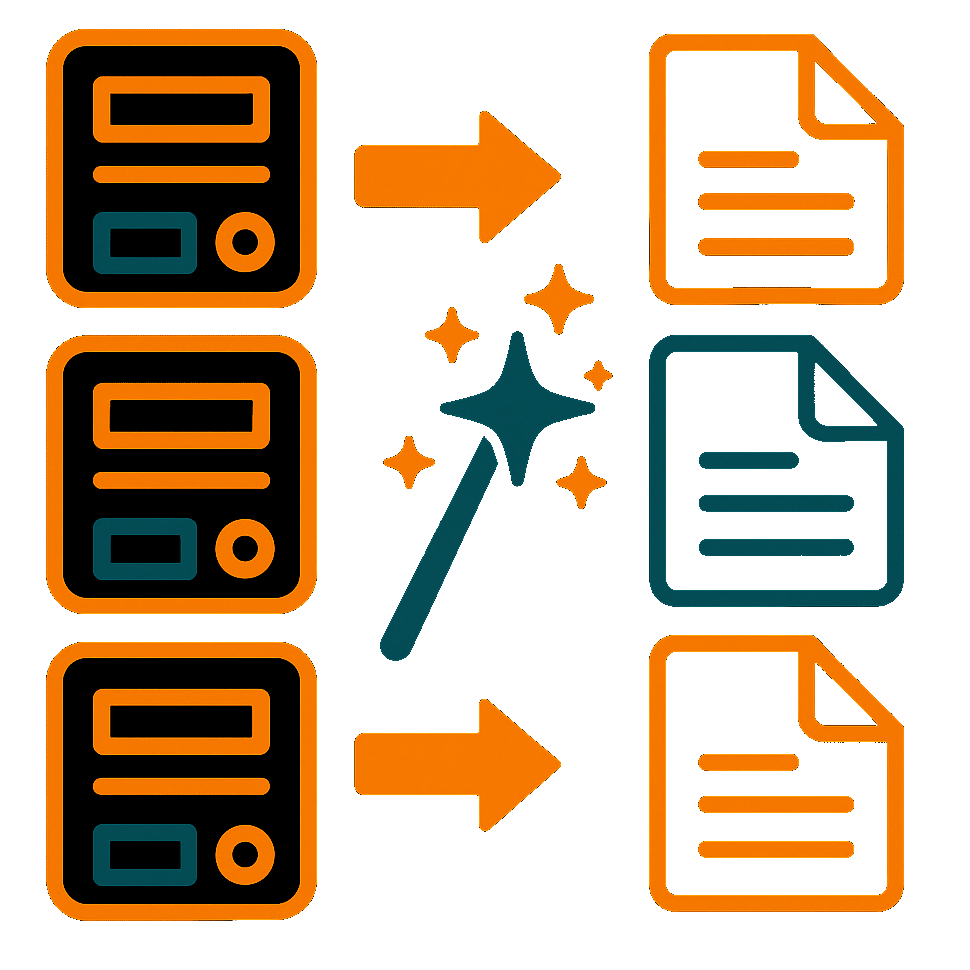
  • Click “Create document” of the appropriate type, and the system will create it for you, save the data as a “record”, file the document with that record, and open the document for you…
  • Under the hood, the system performs several bits of magic that create convenience and efficiency for you: the new record appears on the main screen, displaying the field values according to the “view” you created for the form; a quick search on the screen retrieves the record; you can build queries that retrieve similar records, and produce a report from them; together with the record you can manage many additional matters – create reminders for it, attach more documents to it, send it for electronic signature, set a status for it and manage processes related to it, define who can see it, etc…

Why DocsRobot? These are the system's unique advantages...


An experienced cloud service, affordable, intuitive, ready for immediate use

  • The system has been developed since 2005 by an established company, with full, native localization including right-to-left support, and was not converted from a foreign English system
  • The monthly price is suited to a small business and fits individuals too – there is a rich core system, to which modules can be added only if you need them. The price is based mainly on the number of active users, and only in exceptional cases is it also affected by the monthly number of document-generation and electronic-signing actions
  • The setup process is easy and fast, enabling immediate implementation from one day to the next
  • Day-to-day use is intuitive – no need for lengthy training

Fast and easy locating of every item saved in the system

The entire system is built for fast and easy locating of items

  • The main screen displays a “tree of categories and form types” for easy navigation (with the option to show the same form type under several different categories)
  • Each form type has a tabular view selectable from a collection of “alternating views” – each showing only the columns important to a certain topic (“validity data”, “insurance and guarantees”,…); no need to “open” each record separately…
  • Type text for a quick search
  • Create a “query” for a more complex, condition-based search (all the reports sent to a certain client in a certain year). The query can be saved with a name, and then easily reloaded.

Fast setup. Technologically capable? You can set the whole thing up yourself!

You can build all the system’s components independently, easily and quickly

  • Forms: by dragging fields of various types onto the form area, moving them and setting their size. In forms you can also: divide into chapters and tables, choose a design (skin), set an “automatic name” from the field values… In fields you can also: set default values, perform calculations, set display/hide conditions…
  • Main screens: prepare alternating views, “saved searches”, a category tree,…
  • Document templates: WORD documents in which the “changing content” is replaced with textual “placeholders”, and if electronic signatures are also needed, you add “signature lines” in those same documents (signature: {|___________|})
  • With the reports module: Excel report templates
  • With the process-management module: permitted status transitions, and advanced options for each status and each “action” of changing a status.
  • With the “advanced permissions” module: permission groups and their mapping to the different item types

The electronic forms have a variety of groundbreaking capabilities

A variety of groundbreaking capabilities enable building forms far more sophisticated than those other tools offer. Here are examples:

  • Calculated fields with formulas (and even hiding some of them so they serve only the document generator)
  • Formula-based conditions for hiding fields/chapters in forms
  • An automatic name for a record based on its field values
  • Shared chapters: used across several form types; changing them once affects all the types…
  • A built-in document generator lets you create a document from any form
  • Integration with Comsign signatures enables sending for electronic signature!
  • Automatic permissions and ad-hoc “role holders” for each new record created from the form (with the permissions module)